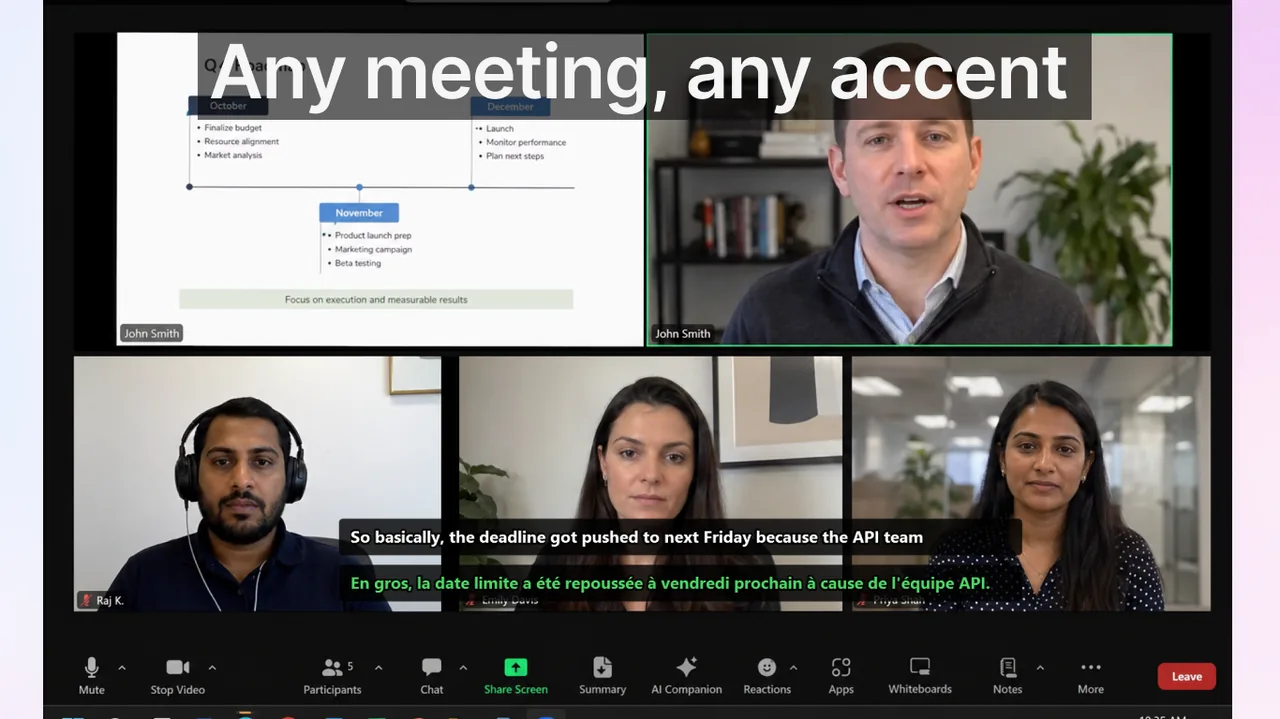
Teams searching for translated captions usually ask one practical question: should we rely on built-in captions inside each meeting tool, or maintain one external workflow that spans all communication contexts? The honest answer depends on your platform mix, language pairs, admin maturity, and how much of your work actually happens inside scheduled video calls. This deep-dive covers Google Meet, Zoom, and Microsoft Teams side by side — not as a feature checklist, but as an operational guide for IT leads and team managers who need to make a durable decision in 2026.
Contents
- How each platform handles translated captions in 2026
- Side-by-side comparison table
- Where built-in captions are sufficient
- Where a cross-app workflow outperforms native options
- Decision framework for managers and IT leads
- Implementation risks to watch
- Practical recommendation by organization type
- Frequently asked questions
- References and further reading
How each platform handles translated captions in 2026
Google Meet: widest native language coverage
Google Meet's translated captions reached support for up to 69 languages in a June 2025 update, making it the broadest native option among the three platforms today. The feature is available on Workspace Business Standard, Business Plus, Enterprise, and Education tiers — it is not included in the free consumer tier. Captions are generated in real time on Google's speech pipeline and then machine-translated before display; the two-step process introduces a small lag (typically 1–2 seconds) that increases slightly for language pairs with structural differences, such as Japanese or Arabic versus English.
One practical constraint is that Meet's translated captions render only for the individual viewer — the speaker sees their own language, while each participant independently selects a target language. This is ideal for diverse audiences but means the organizer cannot verify what other participants actually read during the call. Meet also does not export caption transcripts with translation by default; teams needing a post-call record must use third-party integrations or Google Workspace add-ons.
Zoom: deep enterprise controls with 46 languages
Zoom's translated captions cover 46 languages and are available on Business, Business Plus, Enterprise, and Education plans. The feature requires account-level enablement by the admin and then individual user activation — a two-step rollout that frequently causes confusion when one side is enabled and the other is not. Once live, quality is generally comparable to Meet for common European languages; less-resourced languages such as Tagalog or Malay have higher error rates across both platforms.
Where Zoom stands out is in its ecosystem of complementary controls: breakout room caption continuity, cloud recording with translated subtitle files (.vtt format), and an API that lets developers pull real-time caption streams for archival or compliance. For legal, finance, or regulated-industry teams that need a durable record of what was said and translated, Zoom's export capabilities are genuinely ahead of Meet's out-of-the-box options.
For a full step-by-step rollout plan covering Zoom's admin console and user settings, see Zoom Live Captions Rollout: Team Operations Playbook.
Microsoft Teams: richest governance, most complex rollout
Teams' live translated captions require a Microsoft 365 E3, E5, or equivalent license, a correctly configured language policy in the Teams admin center, and — in some tenants — explicit per-user policy assignment. The feature is not on by default even when the license permits it, which catches many organizations mid-deployment. Once configured correctly, translated captions work well in standard meetings; they are not yet available in Live Events (now called Town Halls) in all regions.
Teams' advantage is its deep integration with the broader Microsoft 365 compliance stack: caption content can flow into meeting transcripts stored in SharePoint, indexed for eDiscovery, and governed by retention policies. For regulated industries — banking, healthcare, government — this tight integration is often the deciding factor. The trade-off is that the rollout requires more IT involvement upfront than either Meet or Zoom. See Microsoft Teams Captions Strategy: Manager Playbook for a detailed admin configuration guide.
Side-by-side comparison table
| Criteria | Google Meet | Zoom | Microsoft Teams |
|---|---|---|---|
| Translated languages (2026) | Up to 69 | 46 | ~36 (policy-dependent) |
| Minimum license tier | Business Standard | Business | M365 E3 / Teams Premium |
| Admin rollout complexity | Low | Medium | High |
| Caption export / transcript | Limited (add-on) | Yes (.vtt, cloud recording) | Yes (SharePoint, eDiscovery) |
| Works in breakout rooms | Yes | Yes | Partial (roadmap) |
| Compliance integration | Basic | Moderate (API) | Deep (M365 stack) |
| Works outside meetings | No | No | No |
Where built-in captions are sufficient
Native captions are the right first choice when all of the following are true:
- Your organization is standardized on a single meeting platform and has no plans to change.
- The majority of cross-language communication happens inside scheduled video calls, not in webinars, training videos, recorded content, or live streams.
- IT admins can maintain consistent meeting policies across all user groups without exceptions.
- Your language pairs are well-covered by your chosen platform (major European or East Asian pairs on Meet or Zoom).
- You do not need captions for audio sources outside the meeting room — podcasts, e-learning modules, YouTube tutorials, or system audio.
In this setup, native captions are the lowest-friction choice. Enabling them requires no additional software, no end-user installation, and no per-device configuration. For a Google Workspace shop, Meet's 69-language coverage will satisfy the vast majority of global team scenarios with near-zero IT overhead.
Where a cross-app workflow outperforms native options
The native caption story breaks down quickly as soon as workers move between contexts. Consider a typical distributed team day:
- A morning standup on Zoom (client mandates Zoom).
- An internal planning session on Microsoft Teams.
- A product demo on Google Meet with a prospect.
- An afternoon training module on a recorded Loom or YouTube video.
- A voice call on a mobile app or VoIP client with a supplier.
Native captions cover exactly one of those contexts per platform. A worker who needs to follow conversations in a second language must switch habits, remember different shortcut keys, and accept varying quality across five separate interactions. The cognitive cost is real: research on multilingual workplace communication consistently shows that switching assistive-tool behavior mid-day increases error and fatigue rates significantly.
A system-level caption overlay — like the Live Subtitles app for Windows, available in the Microsoft Store — solves this by operating at the audio driver layer. It works regardless of which meeting tool is active, displays on any video or audio source, and provides one consistent user experience that workers build a single habit around. For teams juggling three or more communication platforms, the productivity argument for a unified workflow is clear.
Decision framework for managers and IT leads
Step 1: Map actual communication channels, not licenses
Pull calendar data and meeting logs for one representative week. Count hours per platform, per content type (scheduled call, webinar, recorded playback, live stream, one-on-one voice). Do not plan from license inventory sheets; plan from observed usage patterns. You will almost always find that 30–40% of communication happens outside the primary video call platform.
Step 2: Identify language pair gaps
List every language pair that appears in your team's communication. Cross-reference against each platform's supported language list. Pay particular attention to less-resourced languages: if your teams regularly communicate in Vietnamese, Indonesian, or Ukrainian, the quality difference between platforms becomes significant and may override the convenience of staying native.
Step 3: Define your compliance and record-keeping requirements
If your industry requires caption records — financial services, legal, healthcare, government — Teams' SharePoint integration or Zoom's .vtt exports are non-negotiable features. If compliance is not a driver, this criterion falls away and language coverage becomes the primary axis.
Step 4: Run a 2-week controlled pilot
Assign one team to native captions only and one team to a unified cross-context workflow. Keep the meeting types identical. Track three KPIs:
- Clarification message volume after multilingual calls (Slack/Teams messages sent within 30 minutes of a call asking "what did X mean?")
- Decision latency: time from call conclusion to confirmed action-owner assignment
- Self-reported confidence: a 5-question post-call survey on comprehension quality
Two weeks is enough to see directional differences. Scale the model that shows improvement, and re-evaluate at 90 days with hard data.
Step 5: Standardize the rollout and training
Whichever model wins, write a one-page quick-start guide and deliver a 15-minute live walkthrough to each team. The most common failure mode for caption rollouts is not technical — it is that 40% of participants never learn to activate the feature, so the perceived benefit is low and the feature quietly gets disabled. Activation rate, not feature availability, determines outcome.
Implementation risks to watch
- Policy-user mismatch: Admins enable features at the tenant level but users are unaware. Result: the feature is "live" but adoption is near zero for 6 months.
- No speaking protocol: Overlapping speech, fast filler words, and strong accents without clear turn-taking degrade caption accuracy by 20–40% in typical meeting conditions. Train speakers, not just tools.
- Language pair blind spots: Teams assume a platform covers their languages, but do not test the actual pair. Quality for Spanish↔English differs significantly from quality for Arabic↔English on the same platform.
- No review loop: Organizations deploy captions as a one-time IT task and never measure impact. Without tracking clarification rates and comprehension confidence, there is no data to justify broader rollout or license upgrades.
- Mixed-context gap: Teams solve the meeting problem but ignore training videos, recorded webinars, and voice calls, leaving a significant portion of daily communication uncovered.
Practical recommendation by organization type
Single-platform Google Workspace org: Enable Meet translated captions at the Workspace admin level, run a one-hour training session, and track clarification message volume for 30 days. The 69-language coverage will handle most global team scenarios without additional tools.
Single-platform Zoom or Teams org: Follow the dedicated rollout playbook for your platform (linked below). Budget 2–3 hours of admin time for initial configuration, then a team training session. Test compliance requirements before go-live if in a regulated industry.
Multi-platform or mixed-media org: Do not try to solve each platform individually. Evaluate a system-level caption solution that covers all audio sources uniformly. The Live Subtitles app on Windows provides real-time captions and translation for any active audio — meeting tools, recorded video, streams, VoIP — giving workers one consistent experience across their entire workday.
Language-learning plus operations: Teams that use captions both for work communication and individual language development benefit most from a unified system. Switching between a platform-native caption and a separate learning tool creates two workflows where one is sufficient.
Frequently asked questions
Q: Is language count the only thing that matters when choosing a caption solution?
A: No. Language count is a starting filter, not a decision. Governance, user adoption rate, cross-platform consistency, compliance requirements, and actual language quality for your specific pairs all drive outcomes more than raw totals.
Q: Can we combine native and external caption workflows?
A: Yes, and many teams do. A common setup is native captions for standard internal meetings (where the platform is consistent and IT policies are clean), plus a system-level overlay for everything else — client calls on external platforms, training content, recorded video, and voice calls. The hybrid approach works well when the boundaries are clearly documented in team onboarding.
Q: Does a system-level caption app interfere with meeting platform features?
A: A well-designed system-level caption tool captures audio at the OS layer and renders an overlay independently, so it does not interfere with the meeting app's own captions. You can run both simultaneously, which is useful when you want the platform's transcript export alongside a real-time display that covers non-meeting contexts.
Q: How quickly can we measure impact after rollout?
A: Most teams see directional KPI changes within 2–4 weeks if usage is consistent. Full statistical confidence typically requires 6–8 weeks and at least 30 multilingual meeting hours per cohort. Use clarification message volume as your fastest leading indicator — it responds within days of consistent caption use.
Q: Do these platforms work for external participants who are not on our license?
A: It depends on the platform and meeting type. In Google Meet, guests (non-Workspace users joining via link) can typically use translated captions during the meeting. In Teams, external participants in federated meetings may not have access to translated captions depending on their own tenant policy. In Zoom, translated captions are controlled by the host account's settings and generally work for all participants in the call regardless of their own subscription. Always test with an external participant before rolling out to client-facing meetings.
References and further reading
- Google Workspace Updates — Meet translated captions (June 2025)
- Zoom captions and translated captions overview
- Microsoft Teams live captions documentation
- Windows live captions support page
- Google Meet Captions Rollout: Multilingual Meeting Playbook
Related platform playbooks
Build one reliable caption workflow across every app
The Live Subtitles app covers all your meeting tools, training videos, and live audio in one consistent experience — no switching, no gaps, no extra configuration per platform.
Download free