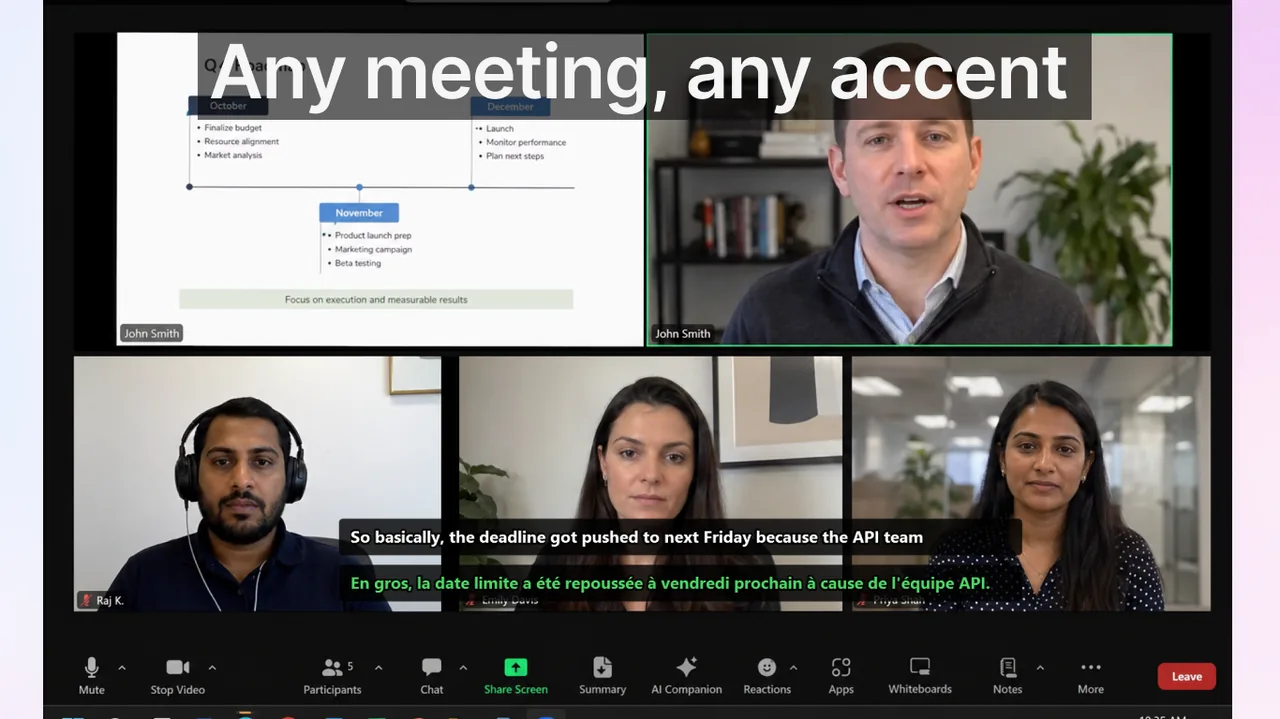
Teams usually decide to adopt Google Meet live captions after repeated meeting friction: unclear decisions, owner confusion, and too much recap debt. The trigger is almost always the same — a consequential meeting ends, the recording goes unreviewed, and three days later two team members are acting on contradictory versions of the same decision. Captions are a partial remedy, but only when attached to explicit meeting protocol and measurable success criteria. This playbook gives you both: a concrete rollout model, a KPI framework you can apply in your first week, and the process design that turns passive transcription into an active communication tool for multilingual teams.
Contents
- Why Google Meet captions alone are not enough
- High-ROI scenarios for Google Meet captions
- Enabling Google Meet captions: setup checklist
- Protocol design: what to standardize
- 4-week rollout model
- KPI model for communication quality
- Risk controls for high-stakes meetings
- Comparing Google Meet captions to Teams and Zoom
- FAQ
- References and platform docs
- Final takeaway
Why Google Meet captions alone are not enough
Google Meet's built-in captions display live speech-to-text in real time and can be enabled by any participant at any time — no admin configuration required for most Workspace tiers. That accessibility is valuable. The limitation is that captions do not change speaking behavior. A speaker who buries the decision in a subordinate clause at the end of a long sentence produces a caption that is equally buried. A participant whose accent or pace exceeds the speech recognition engine's confidence threshold gets a fragmented caption. The technology surfaces what is said; it cannot improve how it is said.
This is not a reason to skip captions. It is a reason to pair them with protocol. Teams that combine caption availability with structured meeting habits consistently report fewer post-meeting clarification threads, faster execution starts, and higher perceived meeting value among non-native speakers. The protocol is the multiplier on the technology investment.
High-ROI scenarios for Google Meet captions
Not every meeting benefits equally from captioning. The highest return comes from meetings where the cost of a single misunderstanding is concrete and measurable:
- Cross-border client calls where detail precision affects contract terms, support commitments, or trust in the relationship.
- Distributed product reviews with participants at mixed language proficiency levels — captions let non-native speakers read back a sentence they missed without interrupting flow.
- Hiring and onboarding meetings with high information density: role scope, performance expectations, compensation structure.
- Leadership syncs involving resource allocation, prioritization changes, or strategic pivots, where one misunderstood decision cascades across multiple teams.
- Legal, procurement, or pricing discussions where spoken commitments need an independent written record for the session log.
Conversely, low-stakes social calls or brainstorming sessions with a single language do not need the overhead of the full protocol. Start where the misunderstanding cost is highest and work outward.
Enabling Google Meet captions: setup checklist
Before the protocol matters, the tooling has to be reliable. Run through this checklist before your first captioned meeting:
- Workspace edition check: Google Meet captions are available on all Workspace editions including the free tier. Translated captions (live translation to another language) require Business Standard or higher. Confirm your edition in the Admin Console under Apps > Google Workspace > Google Meet.
- Turn on captions during a call: Click the three-dot menu (More options) at the bottom of the Meet window, select "Turn on captions", and choose a language. Each participant controls their own caption display — turning captions on for yourself does not affect others.
- Translated captions (if available): In the same menu, select "Turn on translated captions" and pick the target language. As of 2026, Meet supports translation from English into over 25 languages, with more added regularly.
- Audio quality audit: Run a test call with each frequent speaker. Verify that caption accuracy is acceptable before using captions in a client-facing meeting. Common fixes: wired headset instead of built-in laptop microphone, speaking 10–15% slower than normal conversation pace, avoiding multi-speaker overlap.
- Screen real estate: On smaller displays, captions overlap the video grid. Move the caption bar by clicking and dragging. Brief participants on repositioning it before the first meeting where it will be in use.
Protocol design: what to standardize
Meeting protocol is the behavioral framework that makes captions actionable. Without it, captions are a passive feature. With it, they become a communication audit trail. There are three elements worth standardizing in any team that holds ten or more meetings per week.
1. Decision phrasing
Train speakers to phrase every decision as a single, complete sentence containing four elements: what was decided, who owns it, when it will be done, and what the success criteria are. Example: "We will ship the beta to the first 50 enterprise customers by March 14 — Mia owns the deployment checklist and will confirm readiness by March 10." A caption of that sentence is unambiguous. A caption of "let's get that out to customers soon" creates follow-up work.
This standard takes two to three weeks to become habitual. A useful shortcut: the meeting owner reads the decision back from the caption before advancing to the next agenda item. If the caption does not contain owner and deadline, the spoken decision was not complete.
2. Clarification windows
After each major agenda item, allocate a 30-second silence window before moving on. During this window, participants read back what they believe was decided and flag any discrepancy. This is not a discussion window — it is a verification window. The discipline of separating verification from deliberation significantly reduces "I thought we decided" conversations in Slack the next day.
3. Terminology lock
Speech recognition accuracy drops for domain-specific terms, product names, acronyms, and proper nouns. Before any recurring meeting series, create a shared glossary that establishes the canonical spelling and pronunciation of key terms. Distribute it as a pinned message in the meeting chat. When the glossary is available, speakers default to its terms, and captions default to recognizing them correctly. Common problem areas: internal project codenames, competitor brand names, technical acronyms, and names of non-English-speaking team members.
4. Recap discipline
Designate one participant per meeting as the recap owner. Their job is to paste the three most important caption-sourced decisions into the meeting chat before the call ends. This creates a shared, time-stamped record and reduces the cognitive load of post-meeting note-taking for everyone else. The recap owner rotates each week so the skill spreads across the team.
4-week rollout model
Organizational change works best as a phased sequence. The following four-week model assumes a team of 8–30 people with 5–15 recurring meetings per week. Adjust timelines proportionally for larger organizations.
Week 1: baseline measurement
- Enable captions in all recurring meetings but make no protocol changes yet.
- Track three metrics manually: (a) number of follow-up clarification Slack/email threads per meeting, (b) time from meeting end to first execution action, (c) subjective confusion rating from a 1-question post-meeting survey ("Was the outcome of this meeting clear to you? 1–5").
- Identify the two or three meetings with the highest clarification load. These are your primary improvement targets.
Weeks 2–3: controlled protocol adoption
- Apply the four protocol elements (decision phrasing, clarification windows, terminology lock, recap discipline) to target meetings only.
- Assign a meeting owner with explicit authority to enforce protocol — pause speakers who skip the decision formula, initiate the clarification window, name the recap owner.
- Log communication errors by category for each meeting: wrong owner named, missing deadline, scope ambiguity, dependency not stated.
- Hold a 15-minute retrospective after the first protocol week. What feels unnatural? What is already producing results? Adjust phrasing standards based on team feedback before expanding.
Week 4: expansion and calibration
- Expand the protocol to all recurring meetings if KPI trends improve in target meetings. If they do not, identify the specific friction point and fix it before scaling.
- Introduce translated captions for any meeting with participants whose primary language is not the meeting language, using the same principles that work for Zoom.
- Calibrate the clarification window length — some teams find 30 seconds too long for fast-paced daily standups and shorten it to 15 seconds, while others extend it to 60 seconds for complex technical discussions.
- Review the terminology glossary and add any terms that produced caption errors during the pilot weeks.
KPI model for communication quality
Measuring the impact of a process change is what separates a permanent improvement from a temporary initiative. The following four KPIs are practical to track with tools most teams already have (Slack, calendar, and a simple survey):
- Clarification ratio: Number of follow-up clarification messages (Slack threads, emails, or follow-up calls) per meeting per week. Target: reduce by 40% within 4 weeks of protocol adoption.
- Decision accuracy rate: Percentage of meeting decisions that are executed without requiring a reinterpretation or scope correction within 48 hours. Measure by reviewing execution tickets or task creation immediately after each meeting. Target: 85% or higher.
- Cycle-time delta: Time from meeting end to first concrete execution action (first commit, first ticket status change, first deliverable sent). A well-captioned meeting with clear protocol typically reduces this by 20–35% because participants do not need to re-read notes or resolve ambiguity before acting.
- Participation balance score: Ratio of contribution across native and non-native speakers. Measure by tracking how many distinct participants contribute a spoken decision or clarification per meeting. Target: non-native speakers should contribute at a rate at least 70% of that of native speakers. Captions are one of the most effective tools for closing this gap because they reduce the cognitive load of both speaking and listening in a second language simultaneously.
Risk controls for high-stakes meetings
For legal, pricing, contractual, or compliance-relevant discussions, standard protocol is insufficient. The stakes justify a higher-friction confirmation process that creates a durable record.
Use a three-step confirmation rule:
- Spoken decision: The decision-maker states the complete decision using the decision formula (what, who, when, criteria).
- Caption confirmation: A second participant reads the caption back verbatim and confirms it matches the intended meaning. If the caption is inaccurate, the decision-maker rephrases and repeats.
- Written summary in chat: The recap owner pastes the confirmed decision text into the meeting chat during the call. This creates a time-stamped, participant-visible record that is unambiguous and shareable with absent stakeholders.
For particularly sensitive discussions, export the meeting transcript (available in Google Meet for Workspace Business and Enterprise editions) and store it alongside the contract or compliance record. The caption log is not a legal transcript, but it provides a timestamped sequence of the spoken exchange that can resolve disputes about what was discussed.
Comparing Google Meet captions to Teams and Zoom
If your organization runs meetings across multiple platforms, it is worth understanding how Meet's captioning compares to alternatives. For a detailed side-by-side, see Google Meet vs Zoom vs Teams Translated Captions. In brief:
- Google Meet has the lowest barrier to entry for captions — no admin enablement required, works on the free tier. Translated captions require Business Standard or higher.
- Microsoft Teams offers tighter integration with Office 365 workflows and more granular admin controls for caption availability. See Microsoft Teams Captions: Practical Playbook for the full setup guide.
- Zoom offers the most mature third-party caption integration ecosystem, including live translation plugins and ASR provider switching. The protocol principles in this playbook apply equally to Zoom.
If your team frequently presents video content alongside meetings — for example, playing a recorded demo or training video during a call — you will also need captions on the video itself. The platform-level subtitle approach described for streaming services applies here as well: system-level caption tools can surface subtitles from any audio source, not just the microphone.
FAQ
Can we deploy captions without changing meeting culture?
You can start that way, and it is a reasonable first step — enabling captions with no protocol change has measurable positive effects for non-native speakers simply by reducing listening load. But the large gains (40%+ reduction in clarification threads, significant improvement in decision accuracy) only materialize when captions are paired with explicit behavioral protocol. The technology without the process is an improvement; the technology with the process is a transformation.
Which teams should adopt the full protocol first?
Start with client-facing teams and cross-functional groups where misunderstanding cost is highest and most visible. Sales, customer success, and product-engineering interfaces are typical high-value starting points. Internal-only teams with single-language meetings are lower priority.
What should we do when caption accuracy is poor for a specific speaker?
First, test the speaker's audio setup — a good USB microphone or wired headset typically improves accuracy by 8–15 percentage points over built-in laptop audio. Second, add that speaker's frequently-used terms to the terminology glossary. Third, have the speaker practice speaking at 85% of their normal pace on a test call. If accuracy remains below 80% after these steps, consider switching to a third-party ASR provider via a captioning extension.
Does captioning work in hybrid meetings where some participants are in a room?
It works but with degraded accuracy. Room acoustics, distance from the microphone, and cross-talk between in-room speakers all reduce recognition quality. For hybrid meetings, the best setup is individual microphones at the table rather than a single room microphone. Many organizations use a meeting room bar (Logitech, Jabra, or Poly) that provides per-participant audio isolation — these dramatically improve caption quality in hybrid settings.
What if captions are not enough for critical decisions?
Use the three-step confirmation process described in the risk controls section: spoken decision, caption read-back confirmation, written chat record during the call. For the highest-stakes discussions, export the full meeting transcript and store it with your compliance records.
References and platform docs
Final takeaway
Google Meet live captions are a low-friction, high-availability tool that every team should be using by default. But the difference between marginal improvement and meaningful communication transformation is protocol: structured decision phrasing, explicit clarification windows, a shared terminology glossary, and consistent recap discipline. Deploy captions first, measure your baseline, then introduce the protocol elements one at a time. By week four, most teams can demonstrate a measurable reduction in clarification overhead and a meaningful improvement in decision accuracy — outcomes that justify the modest investment of behavioral change and make the case for expanding the approach organization-wide.
Related Articles
Try Live Subtitles
Need captions across Google Meet, Zoom, Teams, and every other app on Windows? Live Subtitles adds a system-level overlay that works anywhere — rated 4.7 stars by 351 users.
Download free