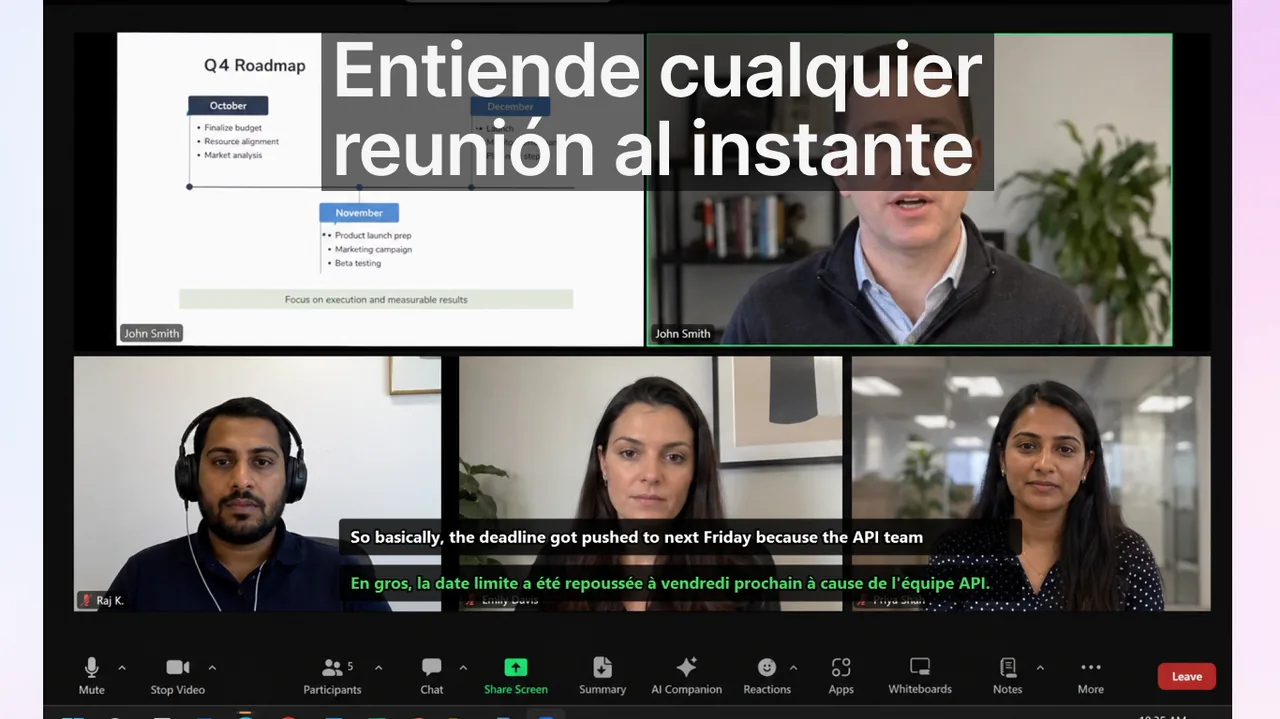
Los equipos que buscan subtítulos traducidos suelen plantear una pregunta clave: ¿conviene usar los subtítulos nativos de cada herramienta de reuniones o mantener un flujo externo común para todos los contextos de comunicación? Esta comparativa de 2026 se centra en decisiones operativas reales —cobertura de idiomas, límites de despliegue, gobernanza y coste de cambio de contexto— y no en el marketing de funciones. El objetivo es darte un marco claro para elegir entre Google Meet, Zoom y Microsoft Teams según cómo trabaja tu equipo de verdad, no según lo que promete cada folleto comercial.
Antes de comparar números, conviene fijar una idea: en reuniones multilingües, la mejora de comunicación no depende solo de cuántos idiomas soporta la plataforma, sino de la latencia percibida, la fiabilidad del reconocimiento de voz en condiciones reales (acentos, ruido, micrófonos baratos) y de que todo el mundo sepa activar la función sin fricción. Una plataforma con 69 idiomas que nadie usa rinde peor que una con 30 idiomas que el equipo domina.
Contenido
- Panorama de mercado (al 18 de febrero de 2026)
- Cuándo bastan los subtítulos integrados
- Cuándo gana un flujo único entre apps
- Marco de decisión para responsables
- Riesgos de implementación a vigilar
- Calidad de traducción y latencia: lo que de verdad se nota
- Recomendación práctica por tipo de equipo
- Preguntas frecuentes
- Referencias
Panorama de mercado (al 18 de febrero de 2026)
La siguiente tabla resume la señal pública más relevante de cada plataforma y su implicación práctica para quien debe tomar la decisión de despliegue.
| Plataforma | Señal actual destacable | Implicación operativa |
|---|---|---|
| Google Meet | Google informó soporte de subtítulos traducidos hasta 69 idiomas (actualización del 24 de junio de 2025). | Opción nativa potente para equipos centrados en Google Workspace. |
| Zoom | Zoom indica soporte de subtítulos traducidos en 46 idiomas. | Buena base multilingüe si Zoom es tu capa principal de reuniones. |
| Microsoft Teams | Los subtítulos traducidos están disponibles, pero existen restricciones por política y entorno en algunos casos. | Requiere una planificación de despliegue por TI más estricta antes de la adopción masiva. |
Estas cifras se mueven con frecuencia: cada proveedor añade idiomas, cambia los planes en los que la función está incluida y ajusta los requisitos de licencia. Trata la tabla como una foto del momento y verifica siempre los detalles en la documentación oficial antes de comprometer un despliegue grande. Si quieres entender la mecánica que hay detrás del reconocimiento y la traducción en directo, este artículo complementario sobre cómo funcionan los subtítulos en vivo con IA explica por qué la latencia y el contexto importan tanto como el recuento de idiomas.
Cuándo bastan los subtítulos integrados
No siempre hace falta una herramienta externa. Los subtítulos nativos son la mejor opción —y la de menor mantenimiento— cuando se cumplen estas condiciones:
- Tu organización está estandarizada en una sola plataforma de reuniones.
- La mayor parte de la comunicación ocurre en llamadas planificadas, no en contextos mediáticos mixtos.
- El equipo de TI puede imponer políticas de reuniones consistentes.
- Los idiomas que necesitas ya están cubiertos por la plataforma con calidad aceptable.
En este escenario, los subtítulos nativos suelen ser la opción con menos fricción: no requieren instalar nada extra, la activación está integrada en la barra de la reunión y el equipo de TI controla todo desde la consola de administración. Si tu equipo vive prácticamente dentro de una sola herramienta, empieza por ahí antes de añadir capas adicionales.
Particularidades por plataforma
Cada plataforma tiene matices que conviene conocer. En Zoom, los subtítulos traducidos dependen del plan y deben habilitarse a nivel de cuenta antes de que el anfitrión pueda activarlos; nuestra guía de subtítulos en vivo en Zoom detalla cómo configurarlos paso a paso. En Google Meet, la disponibilidad de la traducción depende de la edición de Workspace y del idioma de origen detectado. En Microsoft Teams, las políticas del administrador pueden bloquear o limitar la función según el rol del usuario y la región, lo que obliga a una planificación más cuidadosa.
Cuándo gana un flujo único entre apps
El cálculo cambia cuando la comunicación está repartida entre varias herramientas y formatos. Un flujo externo y consistente gana terreno cuando:
- Los equipos usan Meet, Zoom y Teams en paralelo con clientes y socios.
- También se necesitan subtítulos en webinars, vídeos de formación, streams o chats de voz.
- Los flujos de aprendizaje y comunicación necesitan compartir un mismo hábito.
- Parte del equipo trabaja con clientes externos que imponen su propia plataforma de reunión.
Cuando los contextos están fragmentados, el cambio entre herramientas se convierte en el principal coste de productividad: cada plataforma tiene su propio botón, su propio menú de idiomas y su propia curva de aprendizaje. Un flujo de subtítulos consistente —que funcione igual en una llamada de Zoom, en un vídeo de formación o en un chat de voz— reduce ese sobrecoste cognitivo y elimina la excusa de «no sabía cómo activarlo en esta app».
Consejo: una herramienta externa a nivel de sistema, como la app Live Subtitles, captura el audio que sale de cualquier aplicación. Eso significa que un mismo flujo cubre Meet, Zoom, Teams, webinars y vídeos sin depender de que cada plataforma implemente la traducción por su cuenta.
Marco de decisión para responsables
Para no decidir por intuición, sigue un proceso de tres pasos basado en datos de uso reales.
Paso 1: mapear los canales de comunicación reales
No planifiques desde las hojas de licencia; planifica desde el uso real. Cuenta las horas semanales por plataforma y tipo de contenido: reuniones internas, llamadas con clientes, webinars, formación grabada, chats de voz. Es habitual descubrir que la herramienta «oficial» de la empresa representa solo la mitad del tiempo de comunicación real, mientras la otra mitad se dispersa entre aplicaciones que nadie había contabilizado.
Paso 2: definir métricas de éxito
Define indicadores observables antes de cambiar nada, para poder comparar después con cifras y no con impresiones:
- Mensajes de aclaración tras las reuniones
- Latencia entre la llamada y la confirmación del responsable de la acción
- Confianza de los participantes en llamadas multilingües
- Porcentaje de reuniones en las que los subtítulos se activan realmente
Paso 3: hacer un despliegue controlado de 2 semanas
Prueba un equipo solo con subtítulos nativos y otro con un flujo unificado entre contextos. Mantén los mismos tipos de reunión y el mismo volumen de trabajo para que la comparación sea justa. Compara los deltas de KPI al final del periodo y escala el modelo ganador. Dos semanas suelen bastar para ver una tendencia clara sin paralizar la operación.
Riesgos de implementación a vigilar
La mayoría de los despliegues fallidos no fallan por la tecnología, sino por la ejecución. Vigila estos tres riesgos:
- Desalineación de políticas: los administradores activan funciones, pero los usuarios no conocen el flujo ni el botón para activarlo.
- Sin protocolo de habla: los discursos solapados y las interrupciones constantes destruyen el valor del subtítulo, porque el reconocimiento de voz no distingue bien a varios hablantes a la vez.
- Sin ciclo de revisión: sin métricas ni seguimiento, los equipos no pueden demostrar la mejora en la calidad de la comunicación y la iniciativa se abandona.
Advertencia: no confundas «función disponible» con «función adoptada». Una política activada en la consola de administración no sirve de nada si los participantes no saben que existe o no la usan. Acompaña siempre el despliegue técnico con una guía breve de un minuto y un recordatorio en el calendario de las reuniones recurrentes.
Calidad de traducción y latencia: lo que de verdad se nota
Más allá del número de idiomas, la experiencia depende de dos factores que rara vez aparecen en las tablas comparativas. El primero es la latencia: cuántos segundos pasan entre que alguien habla y el subtítulo traducido aparece. Una latencia alta rompe el ritmo de la conversación y obliga a esperar. El segundo es la precisión en condiciones reales: acentos marcados, vocabulario técnico, nombres propios y ruido de fondo degradan el reconocimiento. Si dependes mucho de la traducción de voz, vale la pena comparar herramientas específicas; nuestro análisis de traductores de voz en tiempo real y la guía sobre transcripción en tiempo real frente a por lotes ayudan a entender qué esperar de cada enfoque.
Recomendación práctica por tipo de equipo
Organización interna en una sola plataforma: empieza con subtítulos nativos, optimiza el proceso y luego amplía solo si aparecen contextos que la plataforma no cubre.
Organización multiplataforma orientada a cliente: prioriza primero la consistencia entre herramientas con un flujo externo único y luego afina por plataforma donde la opción nativa sea claramente superior.
Aprendizaje de idiomas más operaciones: usa un flujo de subtítulos que también funcione fuera de las reuniones —en vídeos, streams y formación— para evitar el cambio de contexto y reforzar el aprendizaje con repetición.
Preguntas frecuentes
¿Solo importa el número de idiomas?
No. La gobernanza, el comportamiento del usuario y la consistencia entre plataformas suelen pesar más que la suma bruta de idiomas. Un equipo que activa los subtítulos en el 90 % de sus reuniones obtiene mejores resultados que otro con más idiomas disponibles pero un uso esporádico.
¿Podemos combinar flujos nativos y externos?
Sí, y es lo más habitual. Muchos equipos usan subtítulos nativos donde son estables y mantienen un flujo externo como respaldo para entornos mixtos, plataformas de clientes o formatos que la herramienta principal no cubre.
¿Cuánto se tarda en medir el impacto?
La mayoría de los equipos ven cambios direccionales en sus KPI entre 2 y 4 semanas si el uso es consistente. El factor limitante casi nunca es la tecnología, sino la adopción.
¿Funcionan los subtítulos traducidos si el cliente usa otra plataforma?
Los subtítulos nativos solo funcionan dentro de su propia plataforma. Si tus clientes imponen herramientas distintas, un flujo externo a nivel de sistema es la única forma de mantener una experiencia uniforme en todas las llamadas.
Referencias
- Google Workspace Updates – Meet translated captions
- Zoom captions and translated captions overview
- Microsoft Teams live captions documentation
- Windows live captions support page
Playbooks relacionados
Construye un flujo de subtítulos fiable
Reduce la fricción de comunicación entre reuniones, formación y colaboración en tiempo real.
Descargar gratis