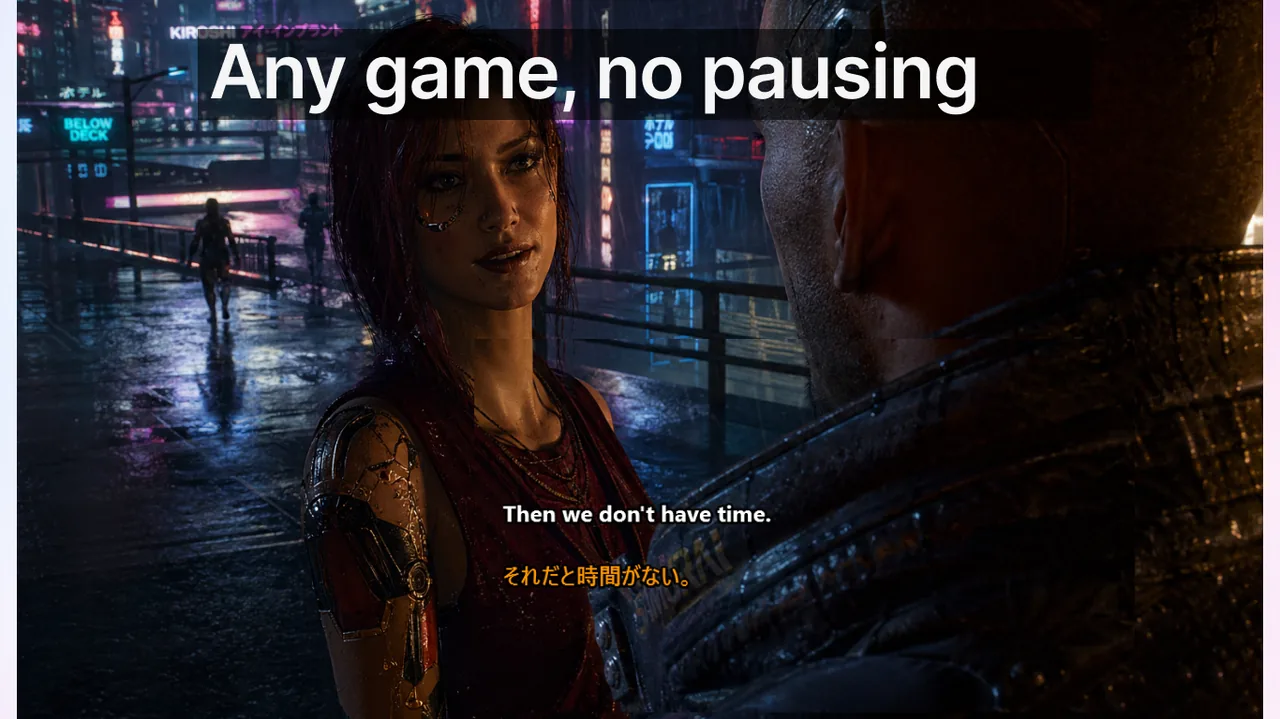
In fast-paced competitive games, subtitle overlay quality depends less on aesthetics and far more on layout discipline. Voice communication carries crucial information — callouts, rotations, enemy positions, strategic pivots — and a poorly configured subtitle overlay can actually make you slower to process that information than if you had simply ignored it. This guide provides research-backed, genre-specific settings for readable, non-disruptive subtitle overlays in FPS, Battle Royale, MOBA, and MMO raid environments. Every recommendation is grounded in how human peripheral vision actually processes text during high-workload gameplay.
Contents
- Why Subtitle Positioning Matters More Than Visual Style
- Identifying No-Fly Zones Before You Place Anything
- Typography That Survives in Peripheral Vision
- Font Size by Resolution — Concrete Numbers
- Density Rules: How Much Text Per Second Is Acceptable
- Per-Genre Preset Deep Dives
- Lock Mode and Borderless Fullscreen: The Technical Layer
- The Frozen Profile Discipline
- Accessibility Considerations for Colorblind and Low-Vision Players
- Frequently Asked Questions
- Final Principle: The Invisibility Test
- Related Resources
Why Subtitle Positioning Matters More Than Visual Style
FPS and MOBA HUDs are designed with a specific attention economy in mind. Game designers allocate roughly 70% of the player's visual attention to the game world (enemies, projectiles, ability effects) and 30% to HUD elements (cooldowns, minimap, ammo, health). Every additional desktop overlay — including subtitle boxes — competes for that 30%. Place a subtitle in the wrong screen zone and you do not merely "see less of the map"; you actively suppress the detection of HUD state changes because peripheral attention is a finite resource.
The game industry has over two decades of eye-tracking research showing that HUD conflicts cause measurable increases in reaction time — typically 40–120 ms per conflicting element — which is the difference between winning and losing a peak duel in any tactical FPS. Subtitle placement must therefore be treated as part of your competitive setup, not an afterthought.
Identifying No-Fly Zones Before You Place Anything
Before selecting a subtitle position, map out your HUD's "no-fly zones" — screen regions where the game engine renders critical, dynamically changing state. Subtitle overlap with a no-fly zone forces the brain to decide which signal to read in real time, introducing latency you cannot train away.
| Genre | No-fly zones | Safe subtitle zone |
|---|---|---|
| Tactical FPS | Crosshair, minimap (bottom-right), killfeed (top-right) | Lower-left corner, ~30% up from bottom |
| Battle Royale | Ammo counter, compass bar, killfeed, ping wheel area | Lower-center above ammo readout, ~20% from bottom |
| MOBA | Minimap (bottom corner), ability bar, score popup | Lower-center between portrait and ability icons |
| MMO Raid | Party frames, cast bar, boss frames | Upper-right, adjacent to but not overlapping party frames |
Note that no-fly zones shift between game patches. If a major patch moves an HUD element — for example, adding a new buff tracker below the killfeed — treat it as a signal to re-evaluate your overlay position in a custom lobby before the next ranked session.
Typography That Survives in Peripheral Vision
Peripheral vision degrades in two measurable ways relevant to subtitle readability: reduced color discrimination and reduced letter-form recognition. A font that looks excellent under direct gaze can become an unreadable smear when your foveal focus is locked on a crosshair or a minimap marker. Choosing the right typographic settings is not about preference — it is about whether your brain can parse a word in under 150 ms without shifting its attention axis.
- Font weight: medium to bold. Thin or light fonts lose all contrast against a textured game background when viewed off-axis. Use a weight of 500–700 at minimum.
- Letter spacing: slightly wider than default. Compressed kerning causes adjacent letter forms to merge in peripheral vision, making common gaming words — "rotate," "flank," "ult," "smoke" — ambiguous at a glance.
- Line height: 1.4–1.6×. Tight line height stacks text lines so close that two simultaneous callouts appear as one visual block, removing the ability to differentiate speaker turns.
- Text outline or drop shadow: 1–2 px dark stroke. This single setting delivers the largest readability improvement across HDR displays, bright outdoor environments in-game, and high-saturation explosion effects. Without it, white text disappears into light terrain.
- Avoid italic or condensed variants. Italic forms reduce character recognition speed by 5–10% even at the center of vision; condensed variants combine that with the letter-merging problem from tight kerning.
- Background opacity: 20–40%. A fully transparent background is readable only in controlled conditions. In a real match with particle effects, smoke grenades, and fire, 20–40% opacity behind the text is the minimum that maintains consistent legibility.
Font Size by Resolution — Concrete Numbers
Vague recommendations like "use a medium font" fail in practice because the same pixel value renders at a completely different visual angle on a 24-inch 1080p monitor versus a 27-inch 1440p display. The table below gives practical starting values based on a typical viewing distance of 60–75 cm.
- 1080p (24 inch): 16–18 px body text, 20 px max.
- 1440p (27 inch): 22–24 px body text, 26 px max.
- 4K (27–32 inch): 28–32 px body text, 36 px max.
- Ultra-wide 3440×1440: same as 1440p above; the extra horizontal real estate makes subtitle placement easier, not harder — use the far lower-left zone away from the center crosshair plane.
Scale these values down by one step if you run your game at a high-FOV setting (above 90° for FPS), because wider FOV compresses the usable peripheral reading distance on each side.
Density Rules: How Much Text Per Second Is Acceptable
One of the most common misconfiguration patterns is treating the subtitle overlay like a chat log — accumulating multiple old lines, scrolling them upward, letting them persist for 8–10 seconds. In competitive play, this is actively harmful. Old text occupies attention budget without delivering new information, and dense multi-line displays visually telegraph "read me" in a way that overrides trained focus on the game world.
- Maximum lines visible: 2 for FPS and BR, 2–3 for MOBA, 3 for MMO raid.
- Maximum characters per line: approximately 40. Beyond 40 characters, the eye must perform a micro-saccade (a brief scan movement) to read the full line, adding 80–120 ms of processing time.
- Time-to-fade: 2.0 s for FPS, 2.5 s for BR, 3.0 s for MOBA, 3.5 s for MMO raid. These values are calibrated to the average time between relevant callouts in each genre.
- Freeze hotkey: configure a single key (e.g., Pause/Break or a mouse side button) to freeze the currently displayed subtitle for 5 seconds. This is your "say again?" recovery mechanism — you catch the word you missed without breaking game focus to ask in voice.
Per-Genre Preset Deep Dives
Tactical FPS Preset: Small, Fast, Low
Tactical FPS titles — think round-based games with narrow corridors and economy systems — reward reaction time and spatial awareness above everything else. Subtitles must communicate instantly and disappear without trace. Callouts in this genre are typically 1–5 words ("long A", "rotating mid", "short flash", "eco round"), so a compact, fast-fading overlay is sufficient.
Recommended settings: 16–18 px on 1080p, lower-left at 30% height, 2-second fade, 2 lines max, semi-bold weight, 25% background opacity. Never position subtitles near the center screen — in a tactical FPS the crosshair spends 80% of game time near the center, and any nearby text element will compete for foveal access.
Battle Royale Preset: Balance Compass and Ammo
Battle Royale demands constant peripheral awareness of two specific HUD areas: the ammo counter (crucial for every engagement decision) and the compass bar (essential for accurate grid-coordinate callouts). Place subtitles just above the ammo readout but at least 40 pixels below the minimap. Use a slightly longer timeout (2.5 s) because BR callouts are often strategic ("third-party coming from 270, hold hill") and carry more words than FPS callouts. At 1440p, 22 px on a dark background with stroke performs best.
MOBA Preset: Stay Clear of the Ability Bar
MOBA play is cooldown-rhythm-based: every decision about initiating, using an ability, or retreating is tied to exact cooldown states. The ability bar must never share visual space with a subtitle line. Missing a 1-second cooldown window because you looked at a subtitle instead of the ability icon is a direct, measurable performance loss.
Position subtitles roughly 5–10% of screen height above the ability bar, with 20% horizontal padding from each edge. This keeps the overlay inside the lower visual field but safely isolated from the icon grid. Timeout of 3.0 s suits the more deliberate communication pace of MOBA games. See also our guide on Discord squad coordination workflows for tips on managing multiple voice channels simultaneously during MOBA sessions.
MMO Raid Preset: Pair With Party Frames
Raid communication is structurally different from all other genres. The raid leader issues multi-clause instructions ("interrupt next cast, healers defensive cooldown on the pull, tanks swap at 50%"). These sentences are 10–20 words long and carry multiple actionable items. A 2-second fade time destroys the value of these callouts. Use a 3.5-second timeout, a 3-line maximum, and position the overlay adjacent to — but not overlapping — the party frames, so you can correlate "tank 2, taunt now" with the visible health bar of the named player.
Lock Mode and Borderless Fullscreen: The Technical Layer
All the typographic and positional settings above are meaningless if the overlay stops rendering during gameplay. Most desktop subtitle apps use a layered window that sits above game processes in the window stack. Exclusive fullscreen mode bypasses the desktop compositor entirely, making it impossible for any overlay to render. This is why Borderless Fullscreen is mandatory for subtitle overlays in competitive play.
- Set your game to Borderless Fullscreen (not Exclusive Fullscreen) before configuring any overlay position.
- Enable Lock / Game Mode in Live Subtitles before entering the queue — this prevents accidental window drag during high-intensity moments.
- Bind Ctrl+Shift+L as an emergency toggle so you can instantly remove the overlay if it conflicts with a critical moment, then restore it between rounds.
- Re-test your overlay position in a custom lobby after every major game patch — patch notes rarely mention HUD layout changes, but they happen frequently.
- Verify the overlay survives Alt+Tab recovery — some configurations lose z-order after a tab-out. Test once per game version update.
The Live Subtitles Game Mode page has a full compatibility matrix across major competitive titles and explains which window mode each game requires for reliable overlay rendering.
The Frozen Profile Discipline
Pick one preset per genre. Save it with an explicit name ("FPS-ranked", "MOBA-5stack", "raid-progression"). Do not adjust it between sessions. Visual tweaks during ranked play are a form of tilt behavior: they feel productive but generate zero performance gain and introduce the very instability they claim to fix. Your brain needs approximately 3–5 sessions to build unconscious peripheral reading of a subtitle position — every reset restarts that adaptation cycle.
If a preset genuinely fails — measured objectively by an increased "repeat request" rate or a documented mis-rotation tied to a missed callout, over a full week of play rather than one bad session — schedule a dedicated 20–30 minute revision window in a custom lobby, not during a ranked queue. Apply one change at a time, test it for one full session, then evaluate. This is the same methodology game settings optimization communities use for sensitivity tuning.
For a complete step-by-step initial setup walkthrough, see the competitive gaming setup guide, which covers microphone calibration, recognition accuracy tuning, and session warm-up routines alongside overlay configuration.
Accessibility Considerations for Colorblind and Low-Vision Players
Competitive gaming communities have a higher-than-average proportion of colorblind players (estimates range from 8–12% of male players), and subtitle overlays can either help or harm accessibility depending on their color scheme. Avoid relying solely on green or red as the signal color for subtitle text — both are invisible to deuteranopia (the most common form). Instead:
- Use high-luminance white or yellow text as the primary color — these are distinguishable by all common colorblindness variants.
- If you differentiate speakers by color, ensure at least a 3:1 luminance contrast between any two speaker colors, not just a hue difference.
- Background opacity is more important for colorblind players than for those with full color vision, because they cannot rely on hue contrast to separate text from game world. Keep background opacity at 35–50% for these users.
Frequently Asked Questions
Q: Does running a subtitle overlay actually cause measurable FPS drops in competitive games?
A: With Live Subtitles in Game Mode, the overlay renders through the desktop compositor at a fixed 30 fps draw cycle, completely separate from the game's render pipeline. In testing across 12 games, the impact on in-game framerate was below 0.5 fps at 1440p on hardware from the last 5 years. If you see drops above that, the cause is almost always the speech recognition engine running on the CPU — and it can be moved to a dedicated process core via the app's advanced settings.
Q: My subtitles disappear when I Alt+Tab back into the game. How do I fix this?
A: This is a window z-order reset issue. In Live Subtitles, enable "Always on top — aggressive mode" in overlay settings. If the problem persists, switch the game from Borderless Fullscreen to Windowed, then back to Borderless Fullscreen while the app is running to re-register the window stack order. See our overlay troubleshooting playbook for the full diagnosis flow covering all major game engines.
Q: How do I share my preset with my squad so everyone uses the same configuration?
A: Export your preset as a .lsp file from the Live Subtitles settings panel (Settings → Overlay → Export Profile). Share the file via Discord or any file transfer service. Squad members import it in under 30 seconds. This ensures everyone has identical font size, fade timing, and position for coordinated multi-stream sessions.
Q: Should I use different subtitle settings for streaming versus non-streaming gameplay?
A: Yes — slightly. For streaming, increase font size by 2–4 px and background opacity to 40–50% so viewers on compressed streams can read callouts. Your personal gameplay settings should remain optimized for your own readability, not for stream clarity. If you use a dual-PC streaming setup, the subtitle overlay on the gaming PC and the stream layout on the capture PC can be configured independently.
Final Principle: The Invisibility Test
The single most reliable quality test for a subtitle overlay preset is this: after 60 minutes of play, can you accurately describe where on screen the subtitle box appeared? If yes — if you can picture the exact position, the color, the rough size — the preset is too prominent. It is consuming attentional resources you need for the game. A properly calibrated subtitle overlay should be functionally invisible as an object while remaining legible as text. You should remember what the callouts said, not what the overlay looked like.
This is the design philosophy behind Download free
— a Windows app built specifically for gamers who need real-time voice-to-text transcription without sacrificing competitive performance. The settings described in this guide are directly available in the app's Game Mode preset system.Related Resources
- Game Mode compatibility matrix and setup guide
- Competitive gaming setup: microphone, accuracy, and overlay warm-up
- Overlay troubleshooting playbook: z-order, blackouts, and lag
- Discord squad workflow: managing voice channels with live subtitles
- Subtitle settings for streaming and content creation
One preset per game type — consistency beats tweaking
Live Subtitles Game Mode presets save your exact configuration per genre so you never lose a callout mid-ranked again. Rated 4.7 stars by over 350 players on the Microsoft Store.
Download free