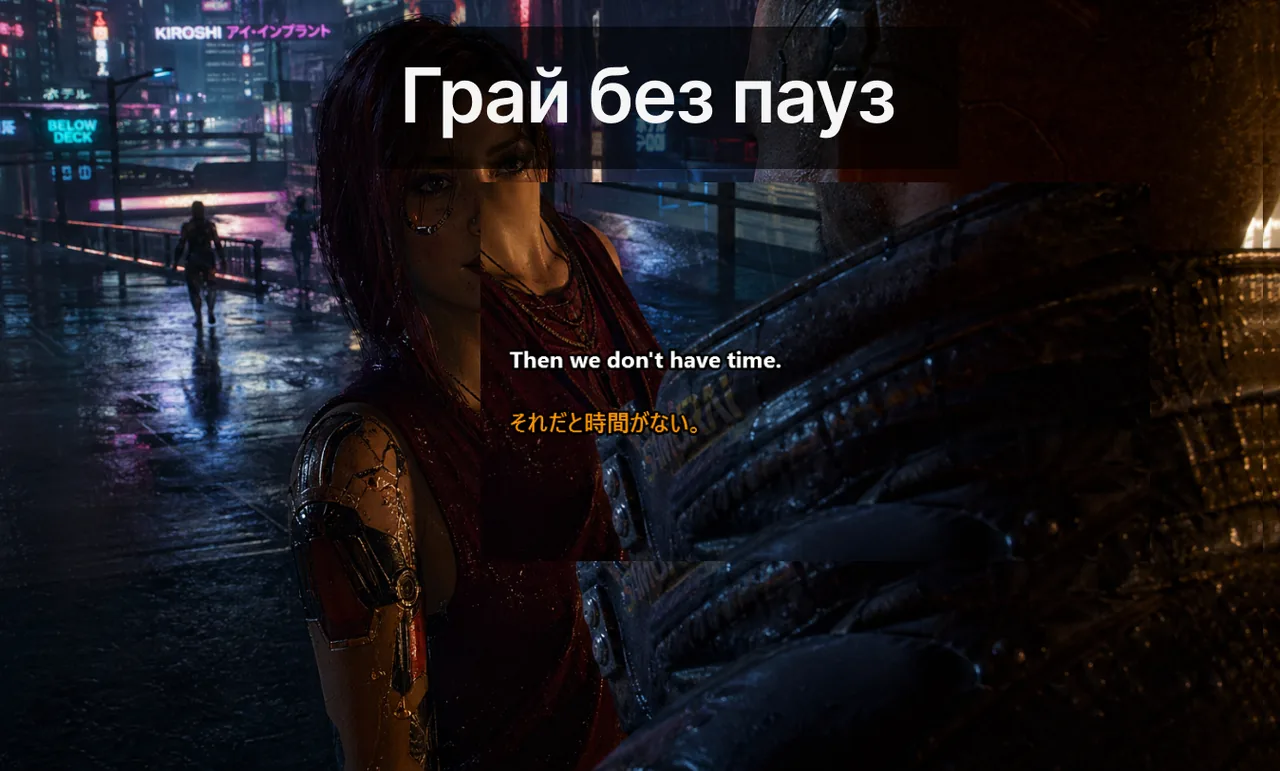
У швидкоплинних іграх якість субтитрів залежить не від стилю, а від дисципліни розташування. Правильно налаштований overlay має підтримувати прийняття рішень, а не конкурувати з HUD за вашу увагу. Цей посібник містить практичні налаштування субтитрів для змагальних матчів у FPS і MOBA, засновані на принципах когнітивної ергономіки та реальному досвіді гравців.
Зміст
Когнітивна геометрія змагального HUD
HUD у FPS і MOBA спроектований з розрахунком, що гравець витрачає приблизно 70% візуальної уваги на ігровий світ і 30% — на елементи інтерфейсу. Кожен додатковий шар — субтитри, індикатор голосового чату, фрейми союзників — конкурує за ці 30%. Якщо помістити субтитри у невдале місце, ви не просто «гірше бачите карту»: ви активно пригнічуєте розпізнавання HUD-сигналів у периферійному зорі — готовність вміння, низький боєзапас, розблокована здібність — адже периферійна увага є обмеженим ресурсом.
Саме тому налаштування overlay — це не питання естетики. Це питання ефективності. Неправильно розміщені субтитри знижують реакцію та збільшують кількість помилок у ключові моменти раунду або командного бою.
Правила позиціонування
Перш ніж обрати місце для субтитрів, визначте «заборонені зони» HUD — ділянки, де гравець відображає критичний стан у непередбачувані моменти. Розміщення субтитрів у таких зонах або поруч із ними змушує вас або дивитися не туди, або пропускати ігровий сигнал.
| Жанр | Заборонені зони | Безпечна зона субтитрів |
|---|---|---|
| Тактичний FPS | Приціл, мінімапа, стрічка вбивств | Нижній лівий кут, ~30% від низу |
| Battle Royale | Лічильник набоїв, компас, стрічка вбивств | Нижній центр над лічильником набоїв, ~20% від низу |
| MOBA | Мінімапа, панель вмінь, таблиця рахунку | Нижній центр між портретом і панеллю вмінь |
| MMO-рейд | Фрейми гравців, каст-бар, фрейм боса | Правий верхній кут поруч із фреймами гравців |
- Тримайте субтитри у нижньому центрі або нижньому лівому куті — поза траєкторією прицілу.
- Уникайте країв, де мінімапа, стрічка вбивств або кулдауни вже змагаються за увагу.
- Не змінюйте позицію в середині сесії, якщо конфлікт із HUD не є критичним.
Типографіка, що читається у периферійному зорі
Периферійний зір різко втрачає дві здатності: розрізнення кольорів та розпізнавання форм літер. Шрифт, який ідеально читається при прямому погляді, може стати нерозбірливим, коли фокальна увага зайнята прицілом або мінімапою.
- Насиченість шрифту: середня або жирна. Тонкі шрифти зникають у периферійному зорі.
- Міжлітерний інтервал: трохи ширший за стандартний. Стиснутий кернінг виглядає «розмито» поза фокусом.
- Міжрядковий інтервал: 1.4–1.6×. Щільний міжрядковий інтервал змушує рядки «зливатися» у периферії.
- Обведення тексту: темний контур 1–2 пікселі. Це єдине налаштування дає найбільший приріст читабельності на HDR-екранах і в яскравих сценах.
- Уникайте курсиву: курсивні форми знижують швидкість розпізнавання на 5–10% навіть у центрі зору.
Щільність і форматування
Поширена помилка — поводитися із субтитрами як із чат-логом: накопичувати кілька рядків, прокручувати старі вгору. У змагальних іграх це неправильно. На екрані повинні відображатися лише 1–2 найновіші короткі рядки, які зникають протягом 2–3 секунд.
- Максимум рядків: 2 у FPS, 2–3 у MOBA, 3 у MMO-рейді.
- Максимум символів у рядку: ~40. Більше — і очі сканують замість миттєвого прочитання.
- Час до зникнення: 2.0 с у FPS, 2.5 с у Battle Royale, 3.0 с у MOBA, 3.5 с у рейді.
- Дозвольте «заморожування»: одна гаряча клавіша для фіксації поточного субтитра — корисно для відтворення пропущеної фрази без перепитань у голосовому чаті.
- Надавайте перевагу 1–2 коротким рядкам замість довгих абзаців.
- Використовуйте текст із високим контрастом і помірною прозорістю фону.
- Уникайте декоративних шрифтів, що знижують швидкість розпізнавання.
Стабільність взаємодії з грою
- Увімкніть «Lock» або «Game Mode» у додатку Live Subtitles перед початком черги пошуку матчу.
- Використовуйте гарячу клавішу Ctrl+Shift+L для миттєвого аварійного вимкнення overlay.
- Запускайте гру у режимі «Borderless Fullscreen», щоб overlay з робочого столу залишався видимим.
- Перевіряйте налаштування після великих патчів гри — оновлення часто зміщують елементи HUD.
Пресети за типом гри: детальний розбір
Підбираючи пресет, орієнтуйтесь не на особисті переваги, а на ігровий темп і критичні зони HUD конкретного жанру. Нижче наведено чотири перевірені конфігурації.
FPS: маленький, швидкий, низький
Тактичні FPS-ігри винагороджують швидкість реакції, а не деталізацію комунікації. Субтитри мають бути компактними, швидко зникати та знаходитись нижче лінії прицілу, щоб не тягнути погляд вгору під час «піків». Рекомендований розмір шрифту: 16–18 пікселів на 1080p, 22–24 пікселі на 1440p, 28–32 пікселі на 4K. Використовуйте легкий градієнт фону (прозорість 0–30%), щоб субтитри ніколи не перекривали силуети противників у темних кутах.
- Малий або середній шрифт, високий контраст, мінімальний фон.
- Короткий тайм-аут субтитрів для швидких фаз бою.
Battle Royale: баланс між компасом і боєзапасом
Battle Royale вимагає постійного периферійного контролю боєзапасу та компасу. Розмістіть субтитри трохи вище лічильника набоїв, але нижче мінімапи. Використовуйте трохи довший тайм-аут (2.5 с), оскільки виклики в BR носять більш стратегічний характер і менш реактивні, ніж у FPS.
MOBA: тримайтеся подалі від панелі вмінь
Ігровий процес MOBA підпорядкований ритму кулдаунів — вони керують рішеннями. Панель вмінь не повинна ніколи ділити візуальний простір із рядком субтитрів, інакше ви помилково відраховуватимете час комбо. Прикріпіть субтитри приблизно на 5–10% вище панелі вмінь із горизонтальним відступом 20% від кожного краю.
- Середній шрифт, дещо більший тайм-аут для макро-викликів.
- Позиція подалі від мінімапи та таймерів цілей.
MMO-рейд: розміщення поруч із фреймами гравців
У рейдових ситуаціях лідер (IGL / рейд-лідер) видає довші команди: «перервіть наступний каст, змініть стійку, активуйте захист на пулі». Для них потрібний тайм-аут 3.5 секунди та позиція поруч із фреймами гравців, щоб гравець міг зіставити «танк, захист на пулі» з видимим HP-баром конкретного танка.
Дисципліна «замороженого профілю»
Оберіть один пресет на жанр. Збережіть його. Не змінюйте між сесіями. Візуальні правки під час рейтингових ігор — це форма «тілту»: вони здаються продуктивними, але не дають жодного приросту ефективності і ризикують зламати робочу конфігурацію. Якщо пресет справді не спрацьовує — це має бути виміряно показниками за повний тиждень, а не за один матч — заплануйте 30-хвилинну ревізійну сесію поза рейтинговим часом.
Ключове правило: сталість коштує дорожче, ніж безкінечні візуальні правки. Ваш мозок адаптується до розміщення субтитрів і починає обробляти їх майже підсвідомо — але лише якщо позиція не змінюється від матчу до матчу.
Головний принцип: субтитри служать грі, а не навпаки
Найкращий тест налаштованого пресету: після години гри — чи можете ви описати, де саме знаходились субтитри? Якщо так — пресет занадто помітний і краде увагу у гри. Якщо не можете пригадати — пресет справляється зі своєю роботою: комунікує, не конкуруючи.
Цей принцип є справжнім критерієм якості будь-якого ігрового overlay. Завантажте Завантажити безкоштовно
, налаштуйте пресет для свого жанру і протестуйте його на практиці: додаток підтримує ігровий режим, швидкі гарячі клавіші та «Borderless Fullscreen» — все, що потрібно для стабільного overlay у змагальній грі.Суміжні матеріали
- Сторінка «Game Mode» субтитрів
- Налаштування для змагального гемплею
- Посібник із усунення неполадок overlay
- Робочий процес у команді Discord
Один пресет — один жанр
Сталість налаштувань дає більше, ніж нескінченні візуальні правки.
Завантажити безкоштовно